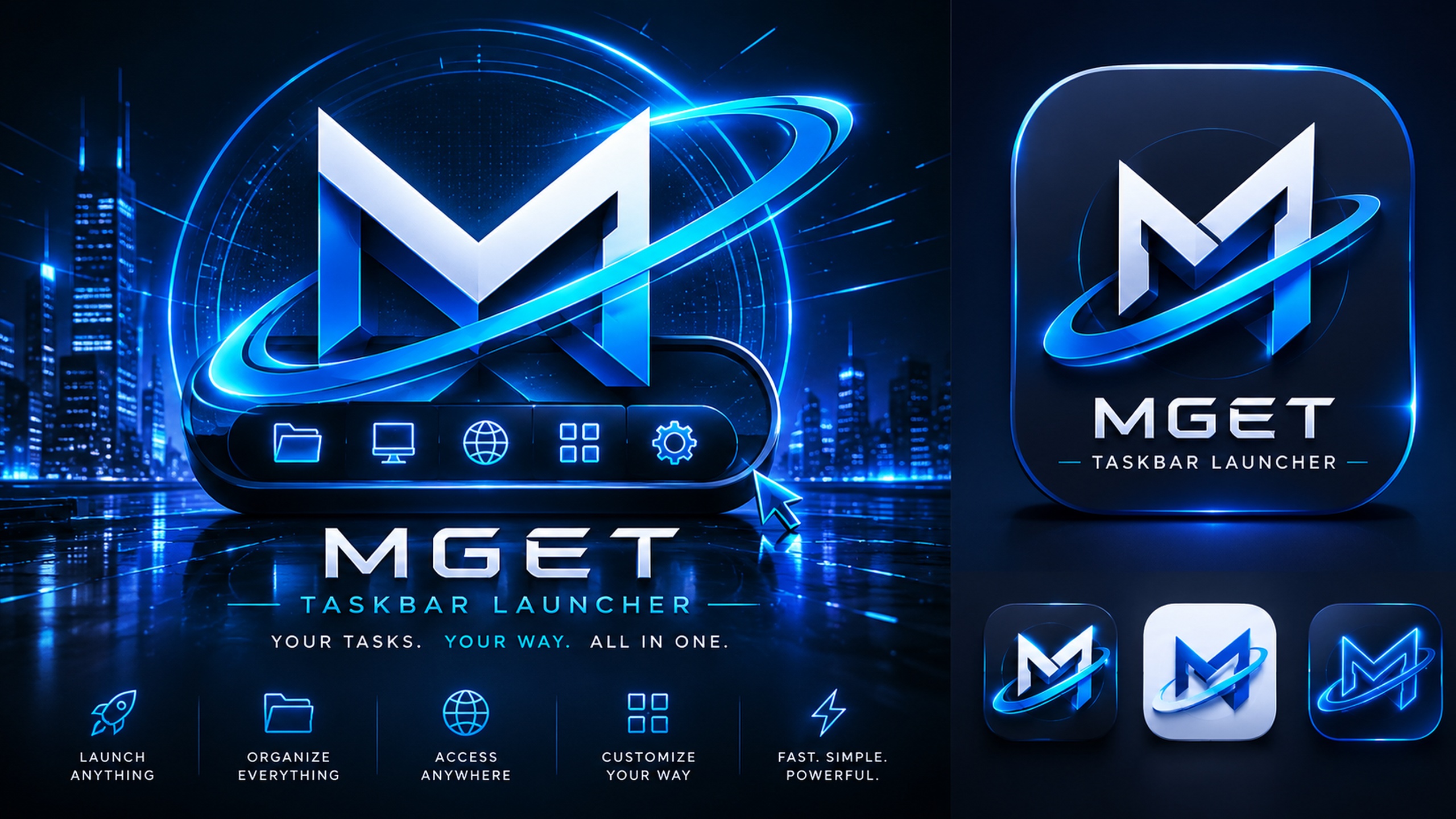
MGET Taskbar Launcher blue and orange artwork
MGET for WindowsTaskbar Launcher

Taskbar
Launcher

Your shortcuts. Your way. Open the things you use every day without turning your desktop into a filing cabinet.

v1.0.1Build 1.0.1.22Windows 10 / 11Portable ZIP.NET 10
Explore
ACCESSTray + global hotkey
ORGANIZEMenus + submenus
CONFIGUREPortable JSON
THEMEFive colour schemes

One shortcut to every shortcut

Fast when you need it.
Gone when you do not.

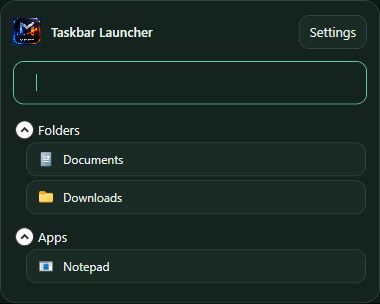
Taskbar Launcher stays quietly in the Windows tray. Call it with a hotkey, type to filter, launch what you need, and get back to work.

View the source project
Taskbar Launcher popup with search, folders, and applicationsCtrl + Alt + SpaceReady in one keystroke

Focused by design

A launcher that stays
a launcher.

No feeds, accounts, or cloud dependency. Drag in what you use, organize it your way, and keep a clear path to everything on your Windows PC.

01

Launch anything

Open applications, folders, files, websites, and scripts from one compact tray menu.

02

Drop it straight in

Drag files, folders, shortcuts, or web links into Settings and Taskbar Launcher creates the items for you.

03

Reach it instantly

Use the global hotkey, keyboard navigation, Recent items, pinned shortcuts, and search with parent-menu context.

04

Edit where you work

Right-click a launcher result to edit, pin, disable, or open its containing folder without hunting through Settings.

05

Launch it your way

Choose a working folder, start an app minimized, or run an app or file as administrator when it needs elevation.

06

Organize at scale

Duplicate entries, alphabetize a menu, validate missing targets, or export and import one item or an entire section.

07

Add useful context

Store notes with each item and search them later; detailed tooltips show its path, target, arguments, and type.

08

Make it yours

Use per-item layouts and icons, then switch among MarkHaven, MGET, System, and Windows Classic colour schemes.

09

Keep it portable

Everything stays in config.json beside the app, with built-in export, import, backup, restore, and optional Windows startup.
Also built in

The smaller details that keep work moving.

  • Nested menus and submenus with drag-and-drop reordering
  • Open All from a menu heading
  • Pin or unpin frequently used items at the top
  • Temporarily disable and later restore an item
  • Recent launches collected for quick reuse
  • Search titles, targets, notes, and parent menu paths
  • Arrow keys, Home, End, Enter, and Escape navigation
  • Automatic icons from application and folder targets
  • Compact, large-icon, and icon-with-text display modes
  • Duplicate an item without rebuilding its settings
  • Sort the selected menu or level alphabetically
  • Validate missing application, file, and folder targets
  • Export or import a selected item or complete menu section
  • Open an application or file's containing folder
  • Start with Windows from an optional startup shortcut
  • No account, feed, telemetry, or cloud dependency

The real application

Compact up front.
Capable underneath.

The launcher stays intentionally compact while Settings handles deep organization, safer launch controls, reusable item sections, and portable configuration management.

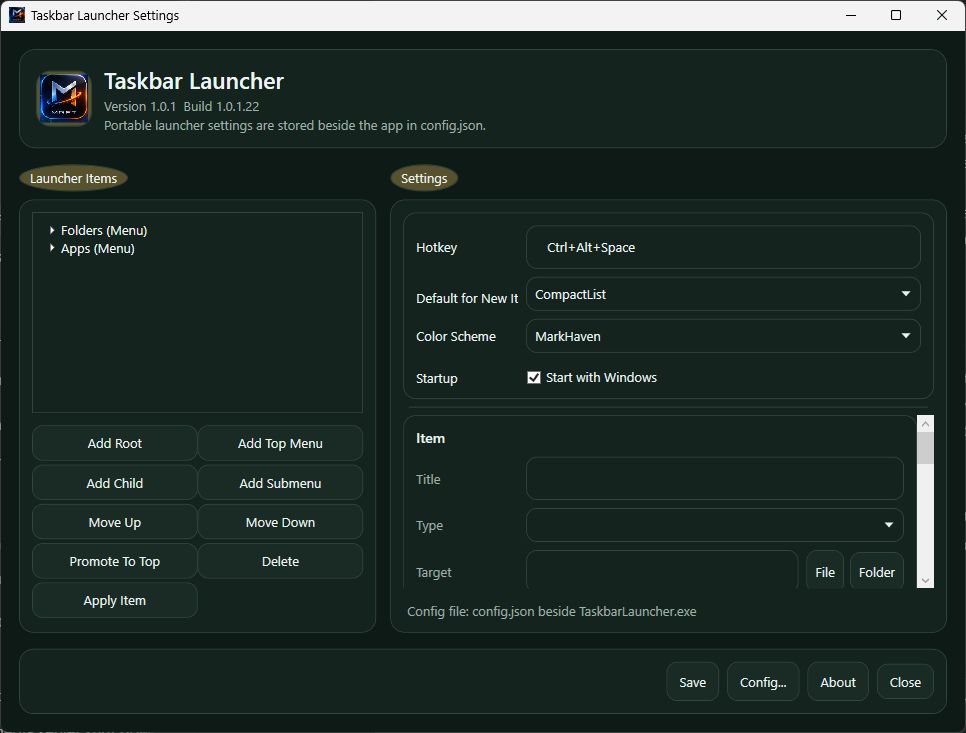
Taskbar Launcher Settings— □ ×
Taskbar Launcher 1.0.1.22 settings editor
Build your menuDrag in shortcuts, organize nested items, and configure advanced launch behaviour from one workspace.
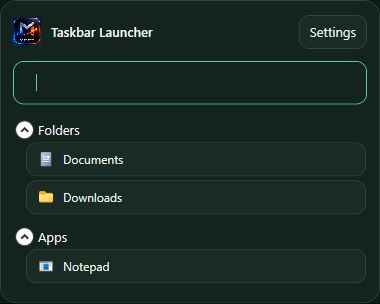
Taskbar Launcher popup
Launch instantlySearchable groups, pinned entries, and Recent items stay close to the taskbar.
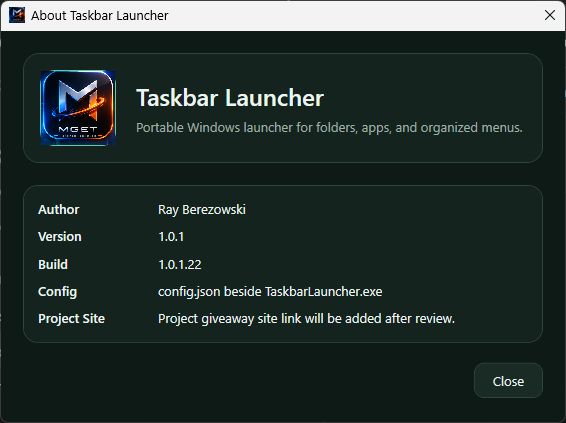
Taskbar Launcher About screen showing build 1.0.1.22
Current buildVersion 1.0.1 · Build 1.0.1.22 with the complete current feature set.

Download centre

Take the launcher.
Make it yours.

Start with the portable Windows package, then add the complete MGET artwork collection if you want matching wallpapers and taskbar icons.

COMPLETE ARTWORK PACK
Six Taskbar Launcher icon designs

MGET visual pack

Both desktop-background families, PNG icons in nine sizes, six multi-resolution Windows ICO files, source crops, and preview sheets.

46 MB ZIPJPG + PNGICO included
Download all artwork
Quick start1. Extract the ZIP2. Run TaskbarLauncher.exe3. Open Settings from the tray4. Add your first shortcut

Desktop backgrounds

Two moods.
Every screen.

Each design is available in Full HD, QHD, and 4K. Choose JPG for a smaller download or PNG for maximum image quality.

Windows taskbar icons

Pick your signal.

Download any Windows ICO individually. The complete artwork ZIP includes every PNG size from 16 to 1024 pixels.

Blue Dark Taskbar Launcher icon
Blue DarkMulti-resolution Windows icon
Blue Light Taskbar Launcher icon
Blue LightMulti-resolution Windows icon
Blue LogoText Taskbar Launcher icon
Blue LogoTextMulti-resolution Windows icon
Blue + Orange Dark Taskbar Launcher icon
Blue + Orange DarkMulti-resolution Windows icon
Blue + Orange LogoText Taskbar Launcher icon
Blue + Orange LogoTextMulti-resolution Windows icon
Blue + Orange Taskbar Taskbar Launcher icon
Blue + Orange TaskbarMulti-resolution Windows icon
Download every taskbar image and wallpaper

MGET Taskbar Launcher

Keep the desktop clean.
Keep everything close.

Download build 1.0.1.22